What Mobies actually does, screen by screen
A walk through every screen in the app — what each one records, how you use it in the middle of a shift, and what it saves you at the end of the week.
Most people who run a small place are not short of software. They are short of one place to put things.
The appointments are in a paper diary. The tabs are in a notebook by the till. The takings are in a notes app, or in your head until Sunday night. The supplier passwords are on the back of an envelope. None of it is wrong on its own — it just does not add up to a picture of the week without an hour of your life.
Mobies is one app that holds all of it. Below is what is actually inside, screen by screen, and what each part is for.
First: tell it what you do
The first thing the app asks is what trade you are in. That is not a cosmetic question — it changes what the app puts in front of you.
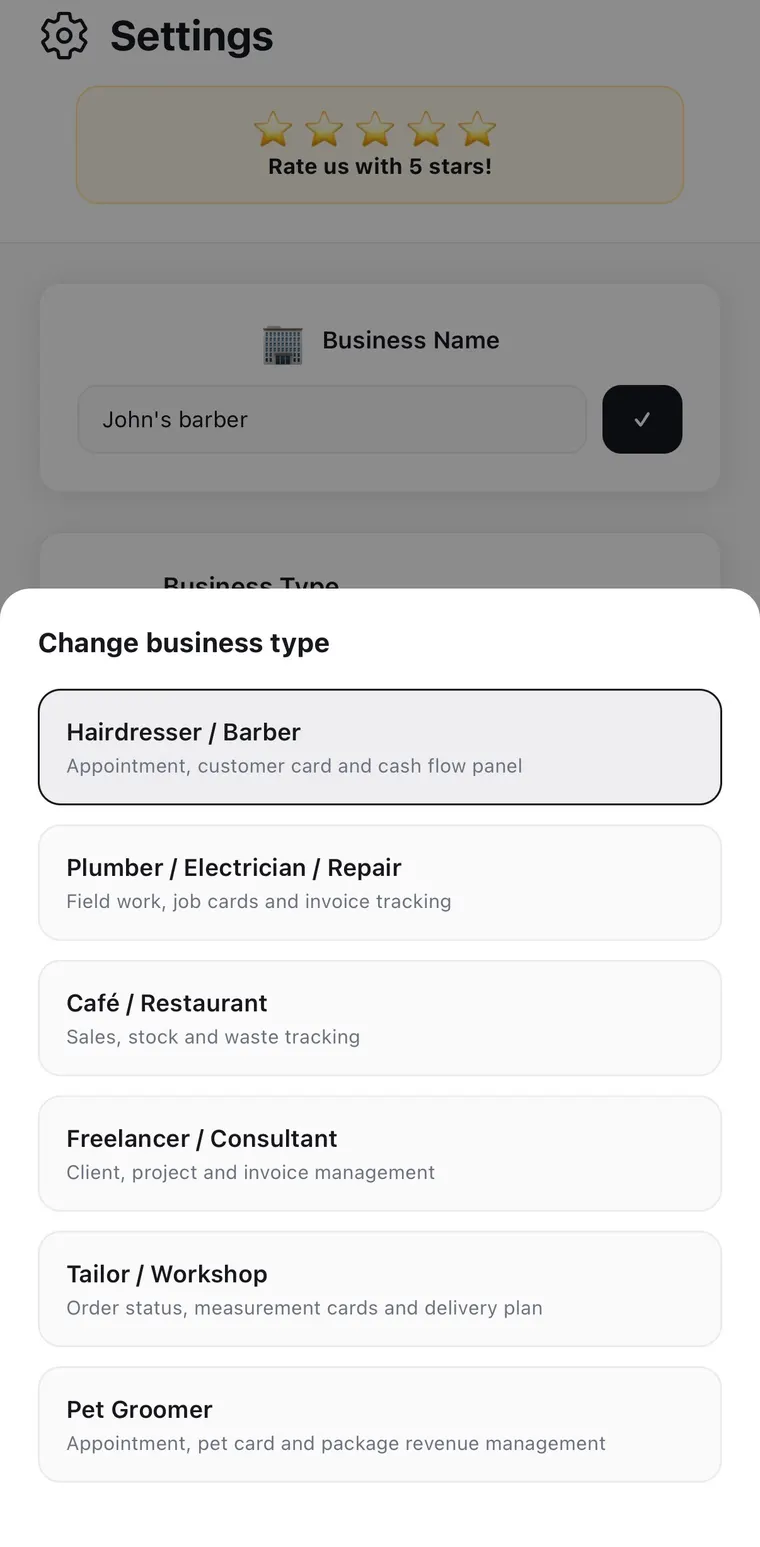
A barber gets appointments, client cards and a cash panel. A tailor gets order status, measurement cards and a delivery plan. A café gets sales, stock and waste. A freelancer gets clients, projects and invoices. You can change it later in Settings if you started in the wrong place, or if the shop changed.
Then there is a short list of five things to do — name the business, add one customer, book one appointment, write one goal, raise one invoice.
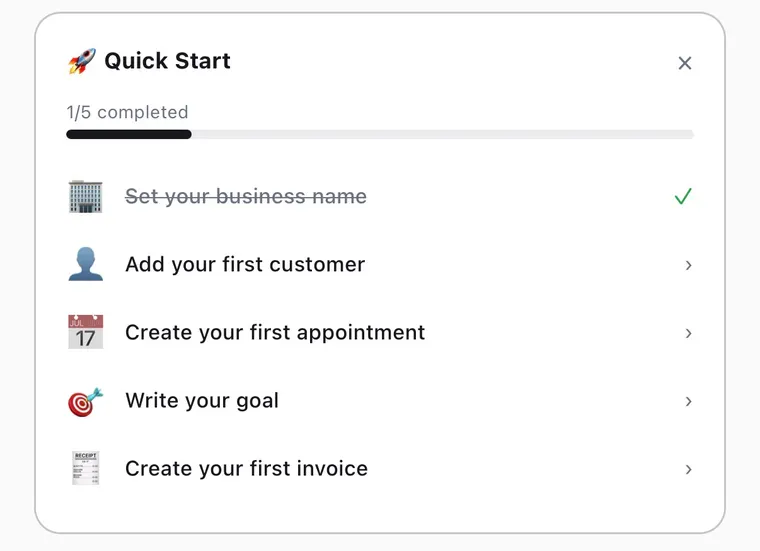
There is no sign-up form anywhere in this. No account, no email address, no verification code. The app works the moment it is installed, and it works with the phone in aeroplane mode.
The home screen: today, in one look
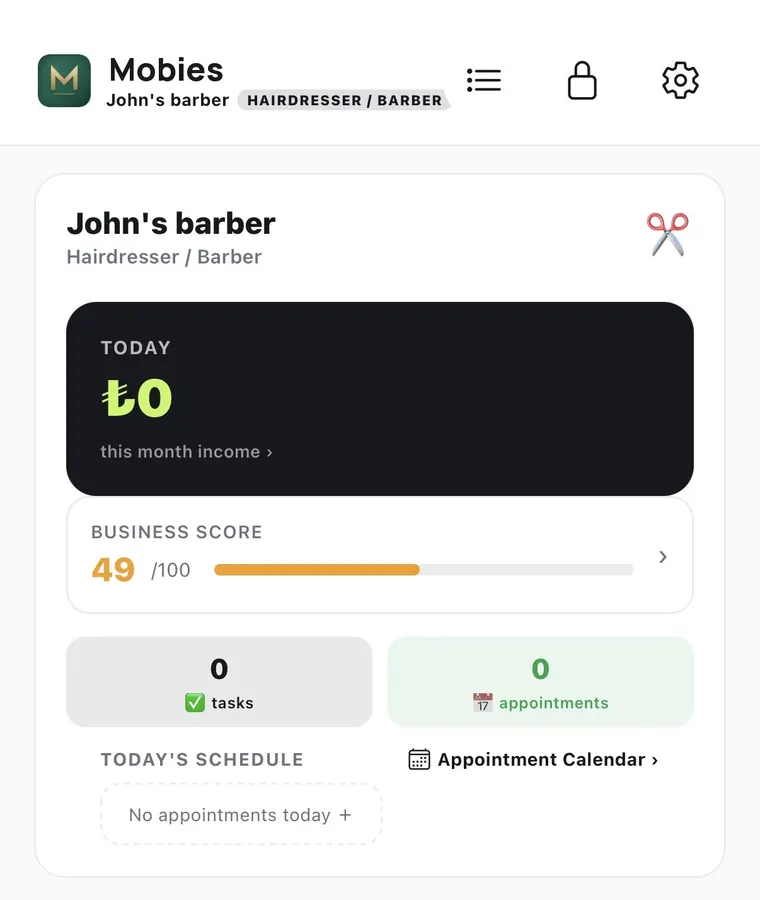
Four things sit on the front page:
- Today's takings and the month so far. Tap through for the detail.
- A business score out of 100. It goes up as the book gets more complete — customers with details filled in, appointments logged, cash entered, tabs chased. It is a nudge, not a grade; a shop that records nothing scores low because a shop that records nothing cannot be looked at.
- Counts for open tasks and today's appointments.
- Today's schedule, with an empty state that lets you add straight into it.
The point of the screen is that you should not have to open anything to know where the day stands.
Customer cards: the thing that replaces your memory
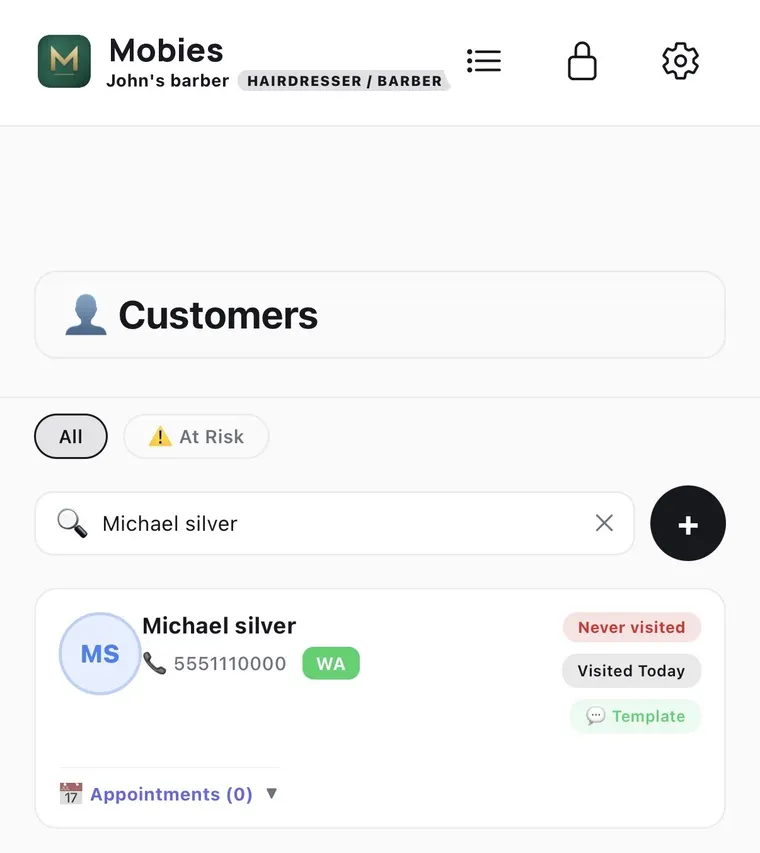
Each customer is a card with a phone number, notes, tags, birthday and a visit history. You can call or open WhatsApp from the card, and send a message built from a saved template rather than typing the same thing forty times a month.
The filter marked At Risk is the quiet one. It lists the people who used to come and have stopped. Nobody notices this on their own — a regular who came every three weeks and has not been in for four months is invisible, because nothing happened. The absence is the event, and only a record notices absences.
Notes matter more than they sound. "Number two on the sides, hates the fan on him," or "allergic to the blue dye," or "always pays the following Friday" is the difference between service and transaction, and it is exactly the sort of thing your memory drops first when you get busy.
Cash, VAT, and who still owes you
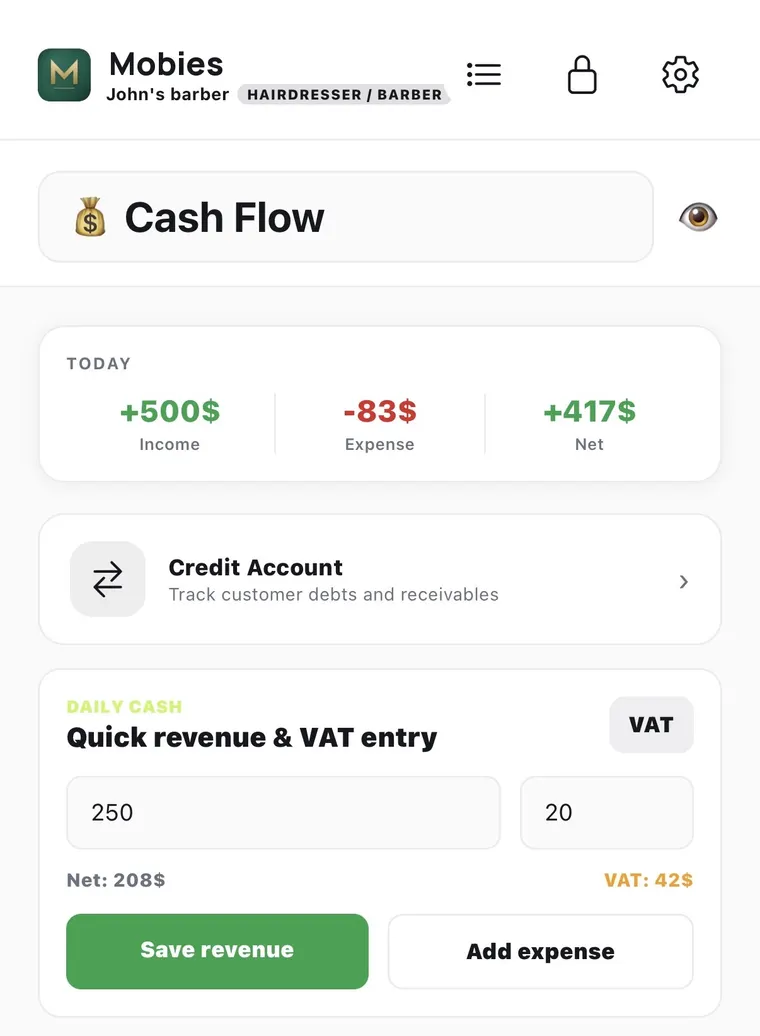
The cash screen is built for entry in seconds, standing up, between customers. Type the amount, pick income or expense, save. If you enter VAT, it does the split there and then — type 250 at 20% and it shows you 208 net and 42 tax before you commit it. Categories give you a breakdown at the end of the month; recurring bills stop you forgetting rent, and there is a cash-count assistant for closing up when the drawer does not match the day.
Credit Account is the ledger for people who pay later. That is a separate screen because informal credit behaves differently from cash: it needs a balance per person, partial payments, a due date and a limit. Half a tab paid is the normal outcome, not the exception, and a system that cannot record a part payment is a system you will stop trusting after two of them. When it is time to ask, you send the reminder from the customer's card — early, short and boring, which is the version that gets paid. We wrote about the whole approach in tracking customer credit without a paper book.
Work lists and stock
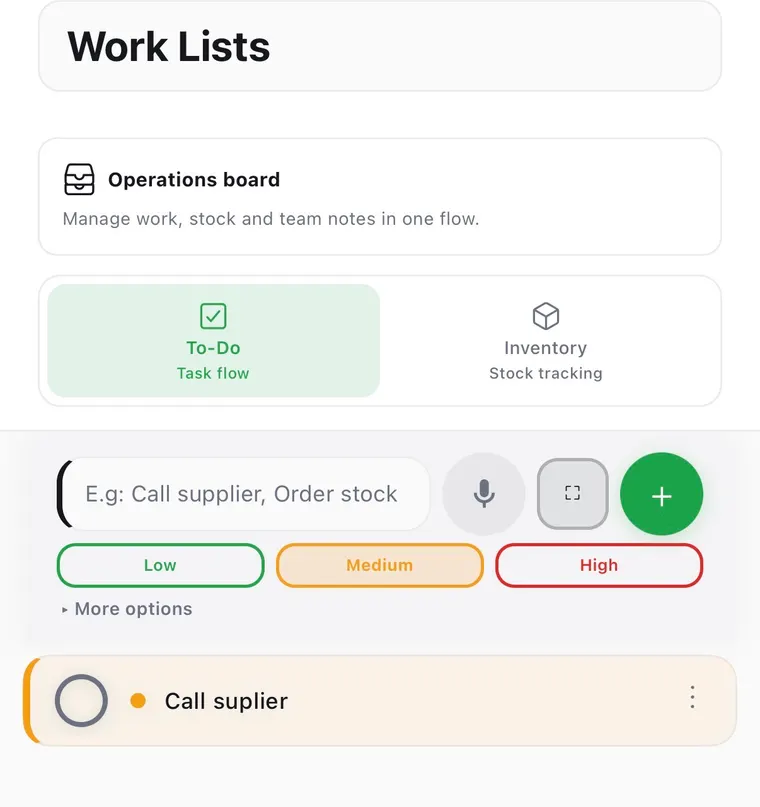
Two tabs on one board. To-Do is a task list with three priorities and voice entry, because the moment you remember to call the supplier is never the moment your hands are free. Inventory counts what you hold and warns you before an item runs out, rather than at the moment a customer asks for it.
The rest of the book
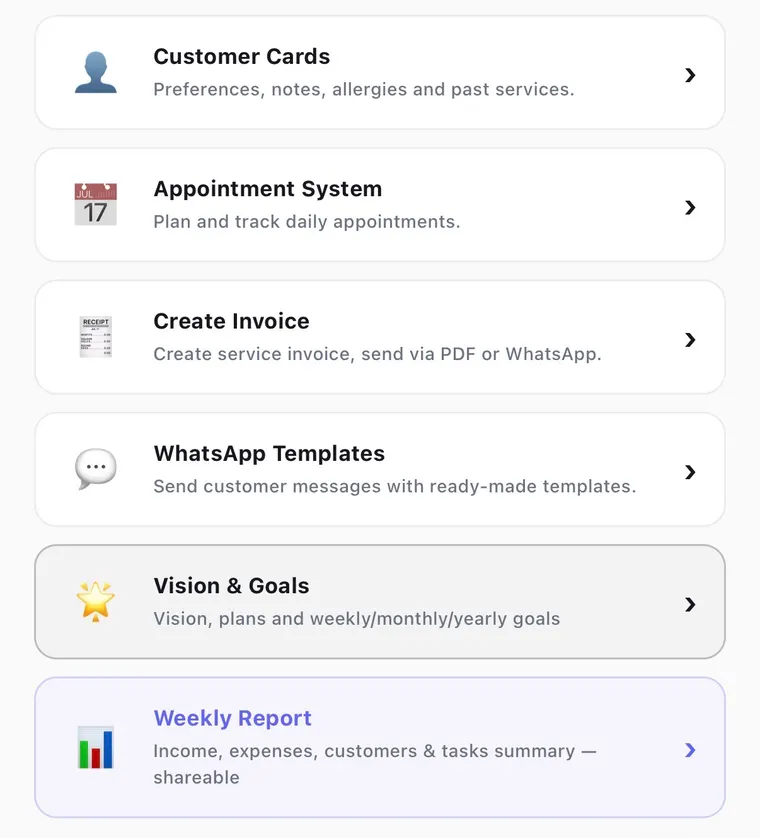
- The appointment book — daily and weekly views, two-stage reminders, double-booking protection, and a link you can send so someone books their own slot.
- Invoices and quotes — a PDF with the VAT broken out, sent over WhatsApp or email, plus a CSV export your accountant can actually open.
- WhatsApp templates — reminders, thank-yous, "your order is ready," the polite chase. Written once, sent in a tap.
- Vision and goals — weekly, monthly and yearly targets, so the year has a number attached to it rather than a feeling.
- The weekly report — income, expenses, customers and tasks for the week in one shareable summary. This is the one to send to a partner or an accountant on a Sunday instead of assembling it by hand.
The vault
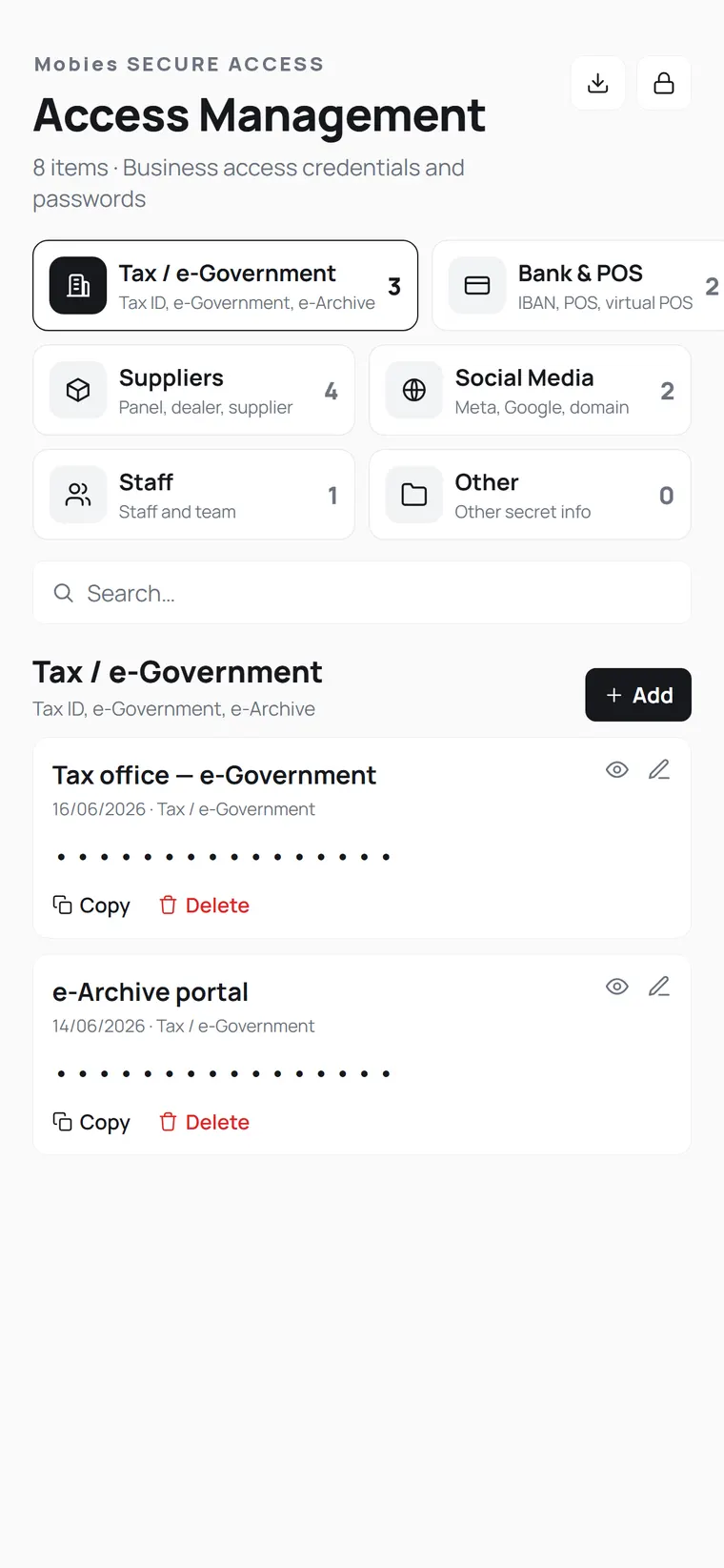
Every small business accumulates twenty logins nobody wrote down properly: the tax portal, the e-invoicing account, the card machine's back office, the wholesaler's website, the shop's social accounts. They end up in a phone note called "passwords", which is the worst possible place for them.
The vault holds them in categories behind Face ID, masked until you reveal them, with copy-to-clipboard so you are not squinting at a screen while a page times out.
Make it fit the shop
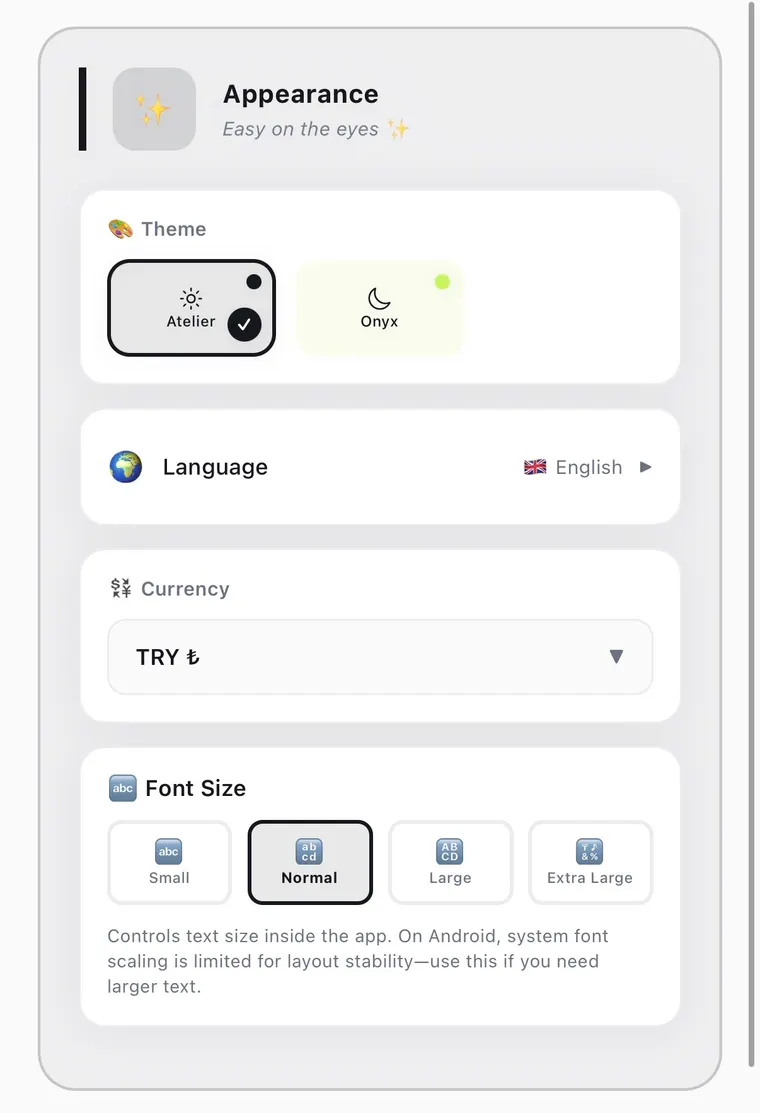
Eight languages, light and dark, your own currency, and four text sizes. The text size setting is inside the app rather than borrowed from the system, so you can make the numbers readable at arm's length on the counter without resizing everything else on the phone.
What it deliberately does not do
Three things are absent on purpose, and they are worth stating plainly because they are trade-offs, not oversights.
There is no commission. Booking platforms take a percentage of every client they touch, forever, including the regulars who would have come anyway. Mobies is a flat subscription — the same price whether you take five bookings in a week or five hundred — so the growth belongs to you. There is more on what that percentage adds up to in what booking platform commission really costs.
There is no cloud account. Records are stored encrypted on the phone itself. That is why it works in a basement salon with no signal, and why there is nothing to sign up for. The cost of that choice is that syncing between two devices is not automatic — you move data with an export, deliberately.
There is no marketplace. The app does not show your shop to strangers, and it does not show other shops to your customers. It is a book, not a listing.
That is also the honest answer to "should I leave my booking platform?" — if new clients from a marketplace matter to you, probably not. We set out the trade-offs row by row in a Booksy alternative for barbers who don't need online booking and a Fresha alternative with no account and no marketplace fee.
Where to start
If you install it, do these three things in the first week and ignore everything else:
- Put every customer who owes you money into Credit Account, with a date. Even approximate. That single list is usually worth more than the subscription within a month.
- Log the takings daily for one week. Not accurately — daily. A rough number every day beats a perfect number once.
- Check the At Risk list on the Friday. Send two messages. See what comes back.
The rest of the app will still be there when you have time for it. The book only works if it gets updated on a busy Saturday, so the parts that take ten seconds are the parts that matter first.
Keep the whole book in one app
Bookings, client cards, credit and cash — no commission, works offline, data stays on your phone. 14 days free.
Download Mobies